RowPool: Recycling Scroll View for uGUI
A downloadable tool
A ScrollRect slows to a crawl long before your data does. Ten thousand rows means ten thousand GameObjects, ten thousand layout passes and a frame time nobody wants to look at.
RowPool fixes that without asking you to rebuild anything around it.
using Schnurbusch.RowPool;
RowPool.Attach(scrollRect, rowPrefab, data.Count,
               (i, view) => view.GetComponent<Row>().Set(data[i]));
That is the whole integration. No interface to implement, no delegate object, no base class your row has to inherit from. Your prefab, the scripts on it and your hierarchy stay exactly as they are. If you already have a ScrollRect filled by hand, you already have everything.
Why This One
The two established solutions in this category are good, and their own reviews say the same thing about both: "not a drop in replacement", "2-3 hours rewiring my brain". They ask you to move your data behind their model. This one asks for one line and leaves your code alone.
What You Get
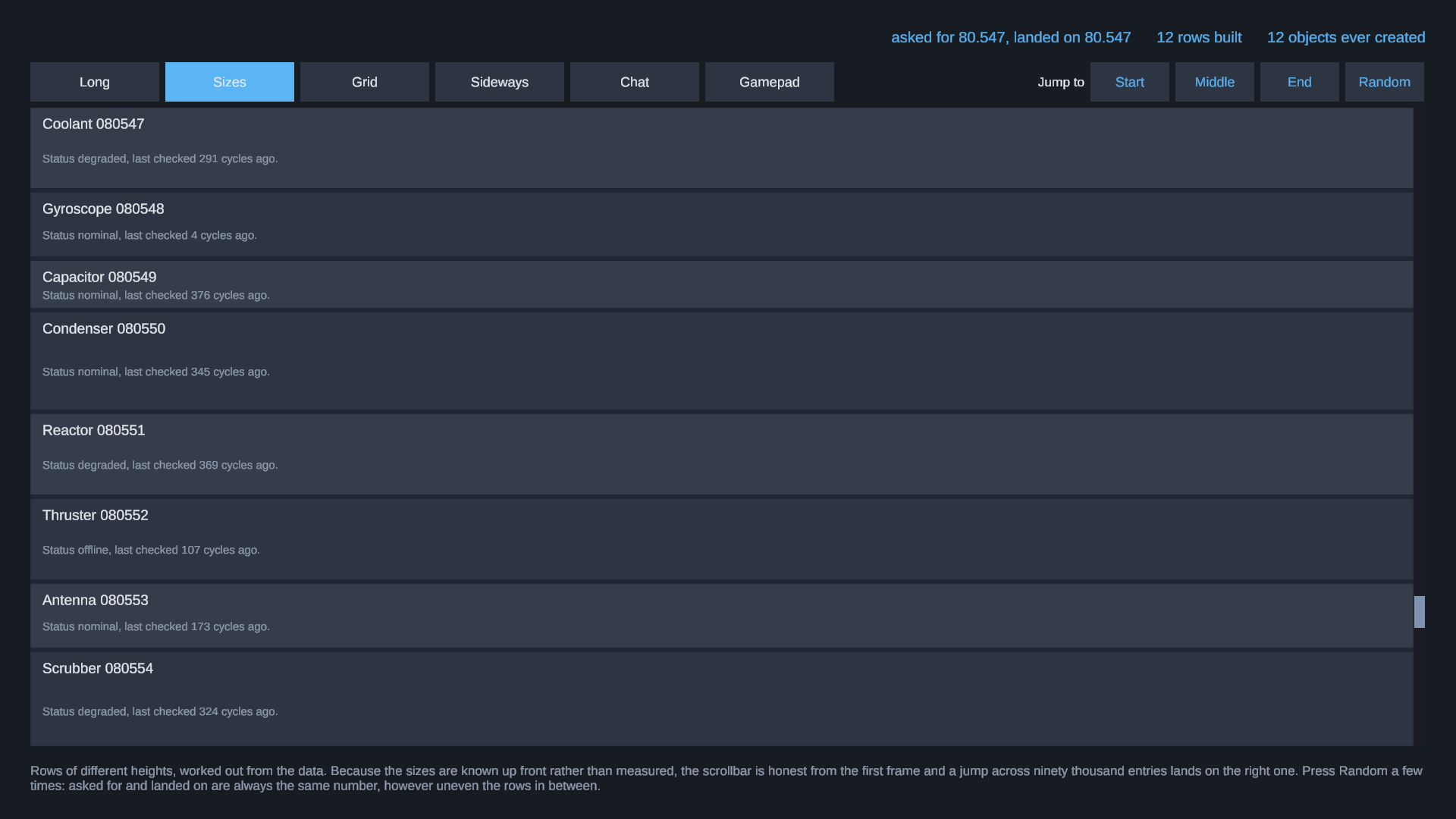
Rows of different heights, two ways. Work the size out from your data and every offset is known before anything is drawn: a jump to entry 90,000 lands on entry 90,000, and the scrollbar is honest from the first frame. Or let the built row report its own size, in which case the sizes settle as the reader scrolls, and the visible rows never move while that happens.
Several prefabs in one list. Headers, separators and entries together, each prefab with its own pool, so a header never comes back as an entry.
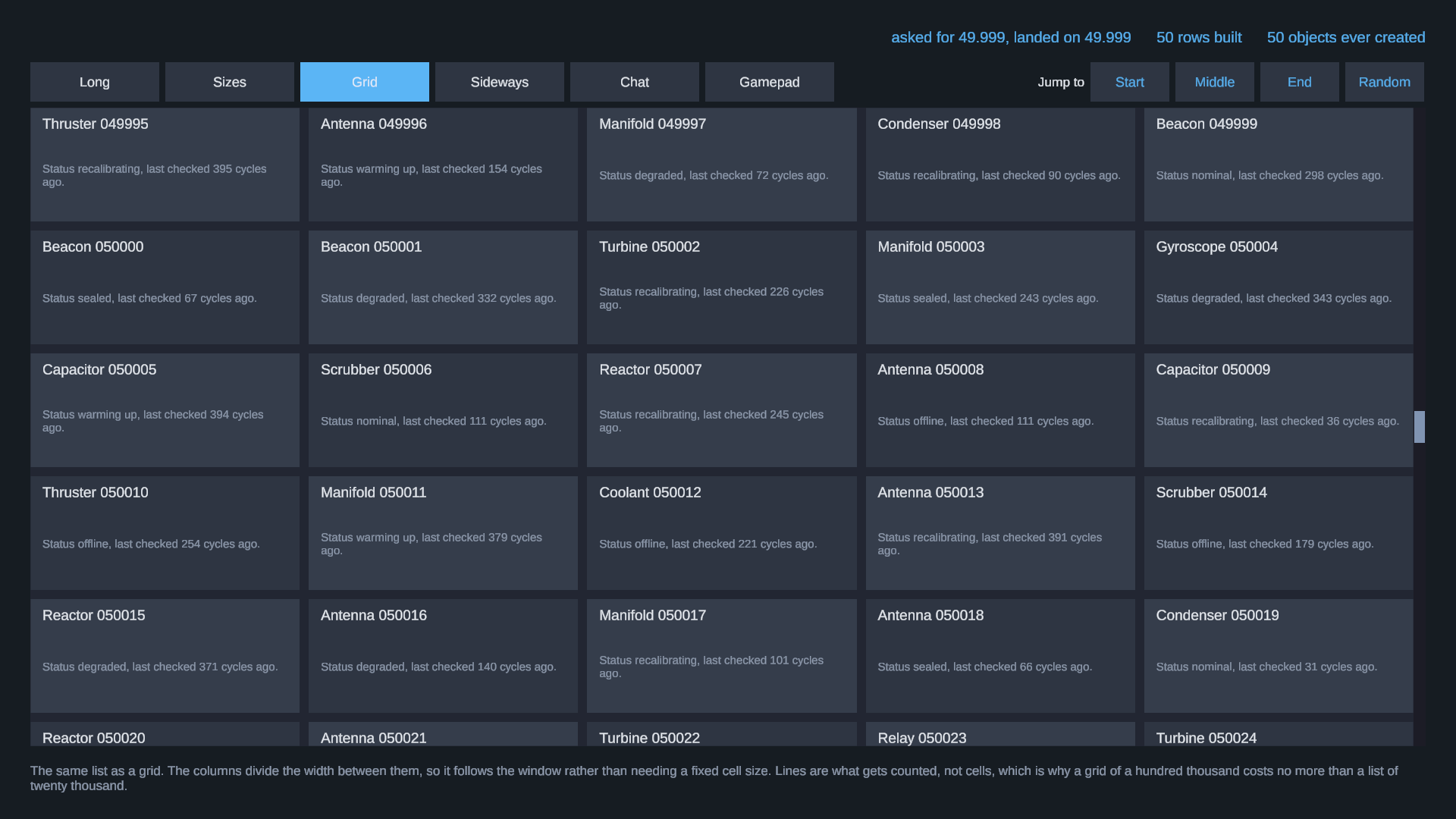
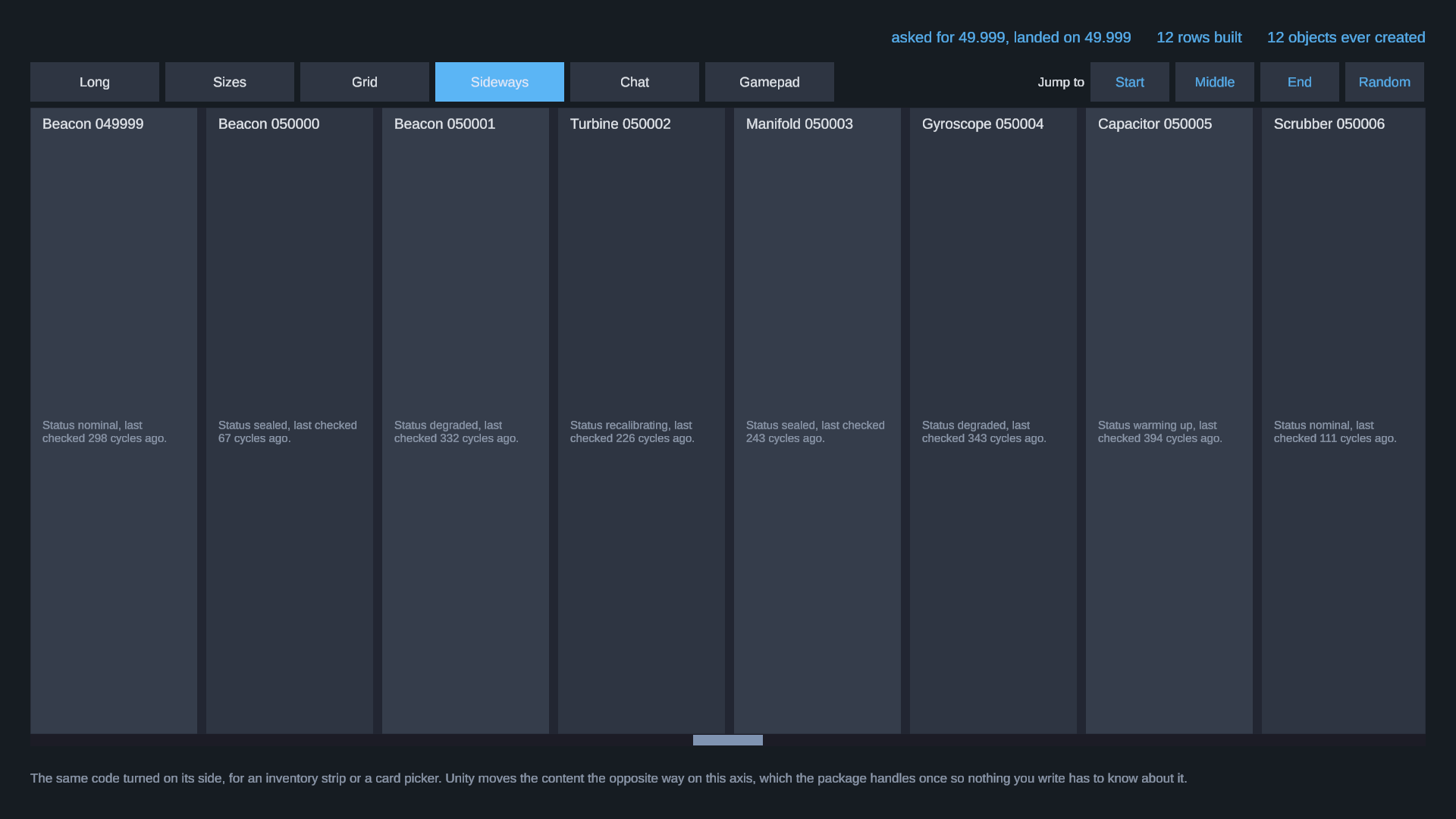
Grids and sideways lists. Columns divide the width between them or take a fixed size. The same list turned on its side for an inventory strip or a card picker.
Insert and remove that keep the reader's place. Add ten entries above somebody who is reading and they do not move. Optionally the entries below slide rather than snap, and they still do not move.
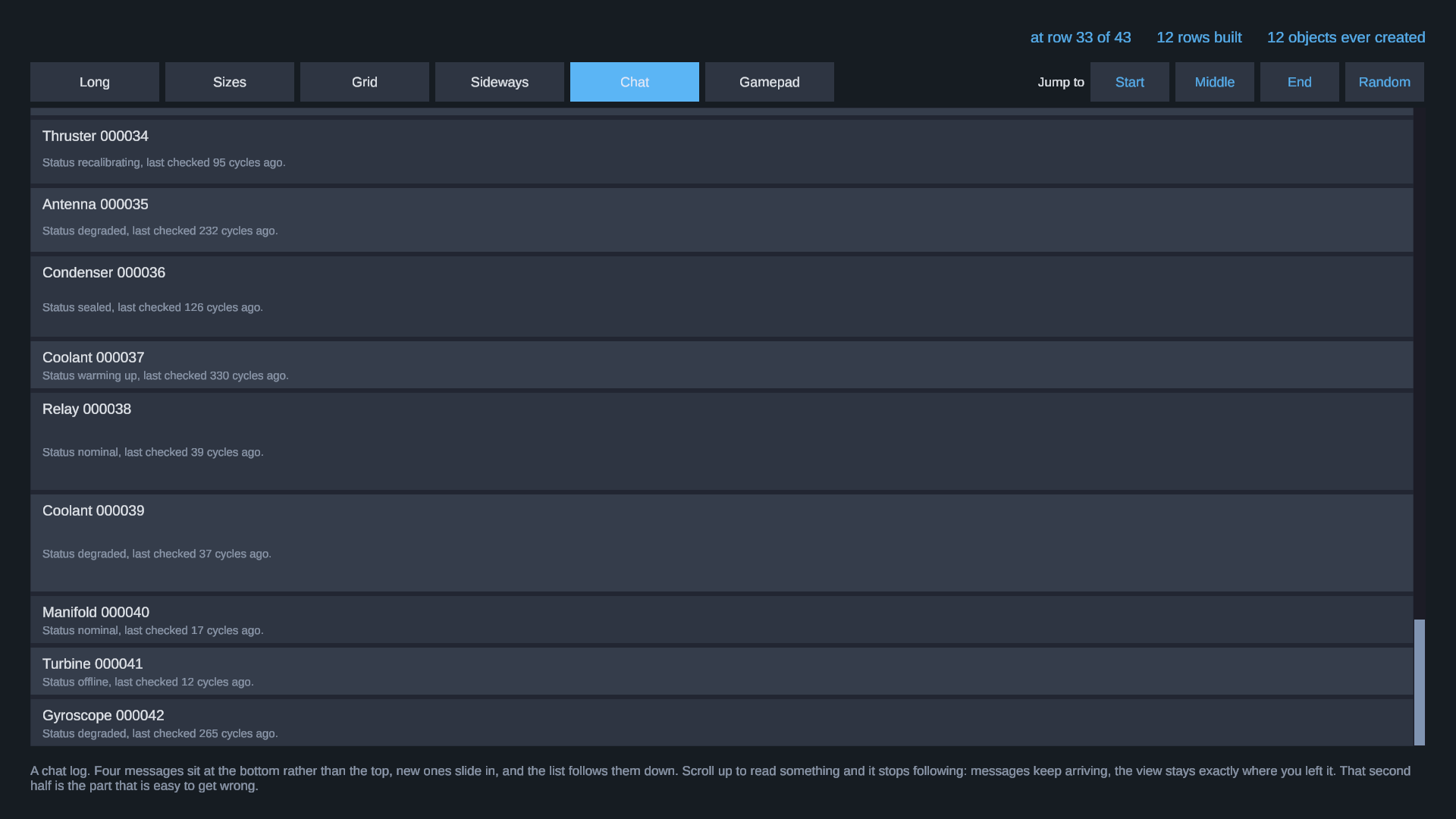
Chat behaviour that is right in both directions. Short content sits at the bottom. New messages arrive and the list follows them down, but only while the reader actually is at the bottom. Scroll up to read something and it leaves you there. That second half is the part that is easy to get wrong.
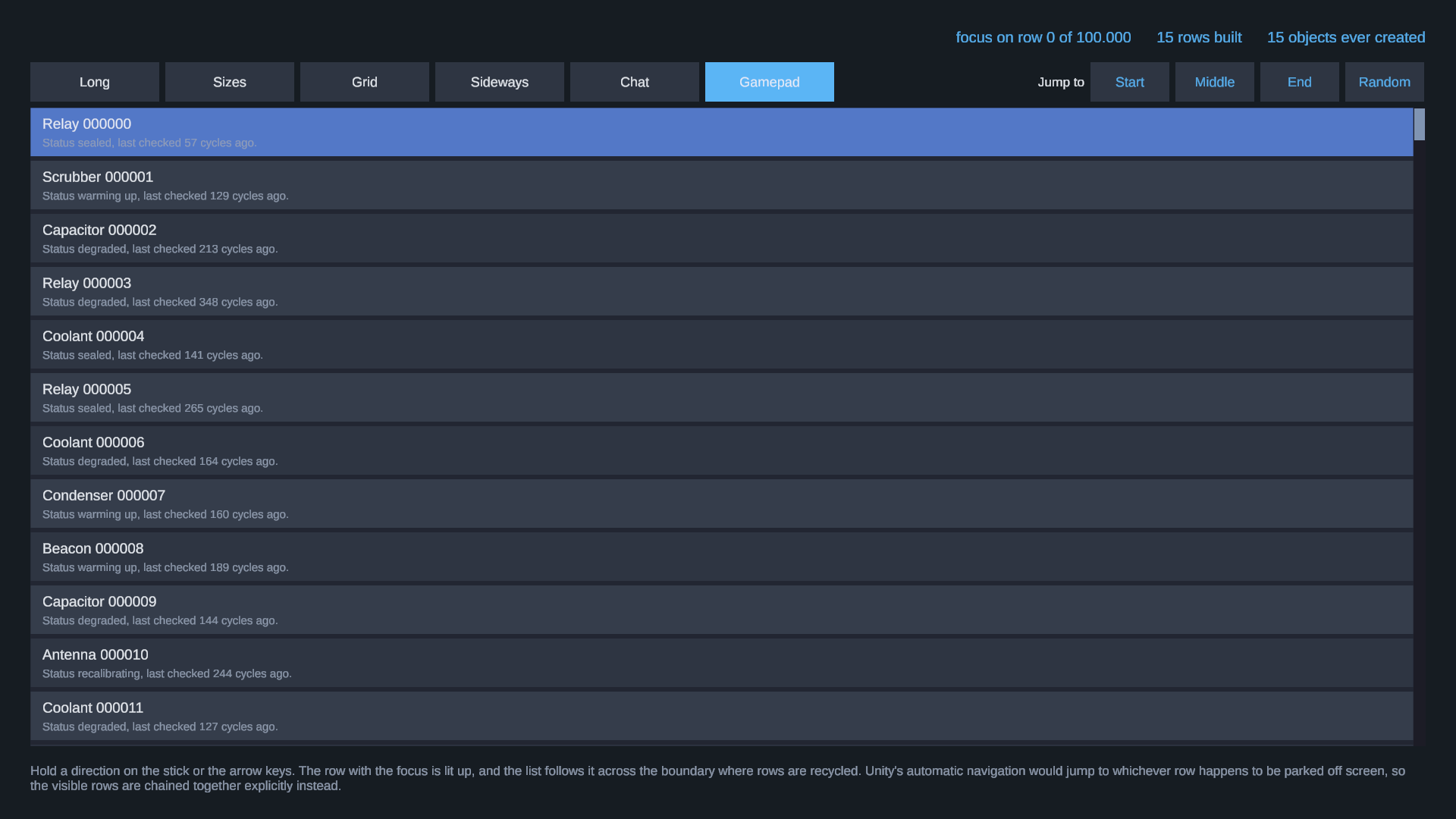
Gamepad and keyboard focus that survives recycling. The rows on screen are chained together explicitly, because Unity's automatic navigation picks the nearest Selectable by direction and in a recycled list that is frequently a row parked off screen. The focus is remembered as an entry rather than as an object, so a data change cannot make it vanish.
Measured, Not Claimed
Positions are worked out from the index and a prefix sum tree, never accumulated while scrolling. Accumulating is what makes long lists drift out of place over a long session, and drift is the defect that is hardest to spot and worst to live with.
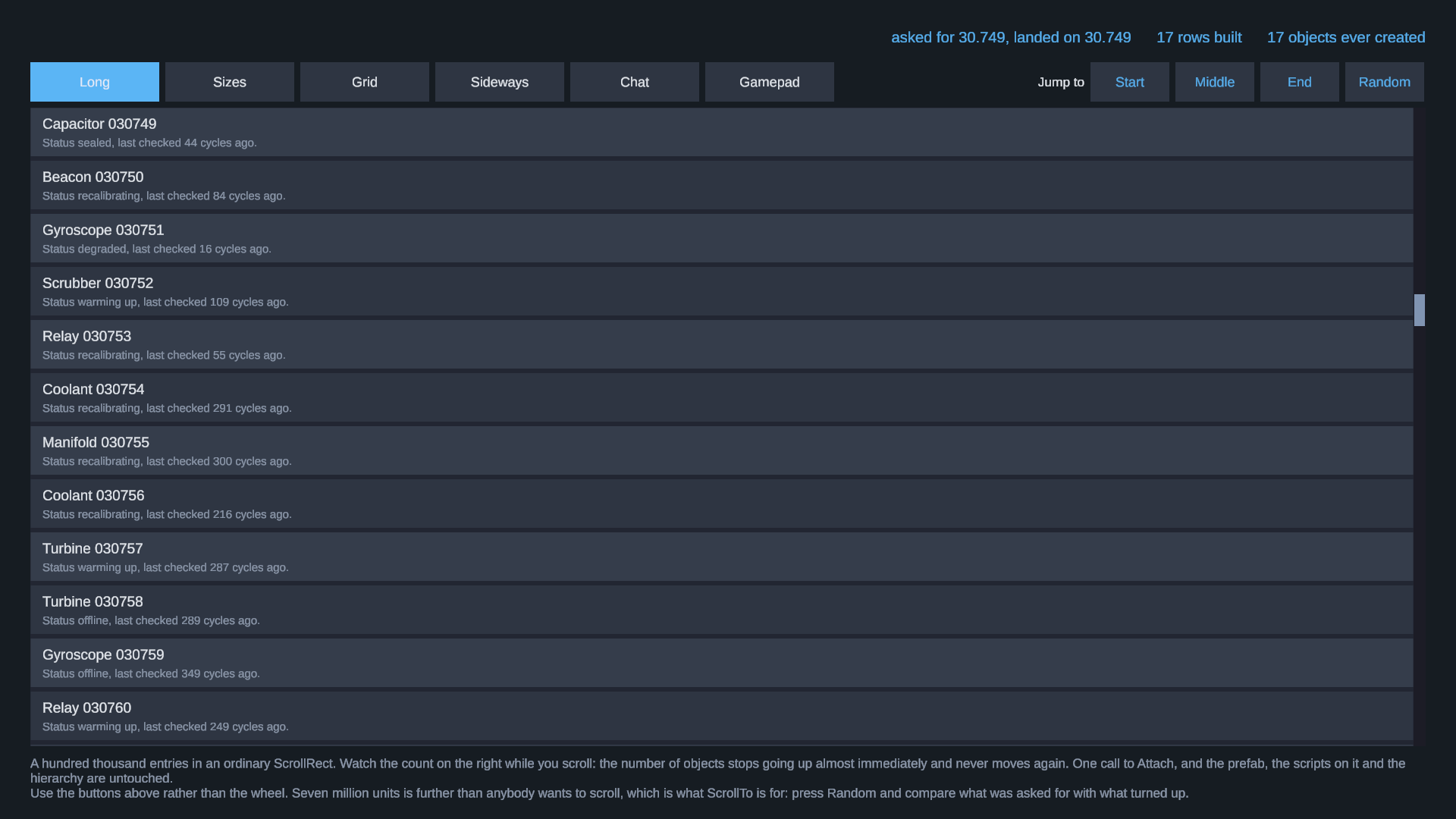
InstantiatedCount is on the component so you can watch the bound hold rather than take it on trust. Scroll a hundred thousand entries end to end and it stops climbing within the first screen.
111 tests ship inside the package, editor only so they never enter a build. They cover exactly the claims above, including that a jump across ten thousand entries lands on the pixel, that every visible index is realised exactly once at any scroll position, and that the visible rows do not move while measured sizes are corrected underneath them. Run them yourself.
Where It Stops
Named in the manual rather than discovered later. A grid uses one cell size throughout, because a line of a grid is only as big as its largest cell and that cannot be known without building every cell on it. A grid does not animate inserts, because adding one cell moves every cell after it. Measured sizes are approximate until an entry has been on screen once. This is not a table framework and not a data binding system: sorting, filtering and column widths are yours.
Unity 2021.3 or newer. uGUI only. No other packages required.
Support: daniel.schnurbusch@web.de
From The Same Publisher
Every Schnurbusch tool follows the same rule: one line of code, your project stays as it is, full C# source.
SettingsNow: a settings menu and key rebinding in one line https://assetstore.unity.com/packages/tools/gui/settingsnow-settings-menu-and-key-rebinding-400724
HintOnce: first-time hints with one line of code, free https://assetstore.unity.com/packages/tools/gui/hintonce-first-time-hints-with-one-line-of-code-396738
LocLayer: localize without refactoring https://assetstore.unity.com/packages/tools/localization/loclayer-localize-without-refactoring-394954
All tools, manuals and what is coming next: https://schnurbusch.github.io
In The Download
- RowPool_1.0.1.unitypackage: the full C# source, demo and tests
- RowPool_Manual.pdf: the manual
- LICENSE.txt: per-seat license for your own commercial projects
Requirements
Unity 2021.3 or newer, including Unity 6. uGUI.
Also on the Unity Asset Store: https://assetstore.unity.com/packages/tools/gui/rowpool-recycling-scroll-view-for-ugui-401652.
Purchase
In order to download this tool you must purchase it at or above the minimum price of $24.99 USD. You will get access to the following files:
Leave a comment
Log in with itch.io to leave a comment.